.png)
How Often You Should Change DTF Filters: White Every 3 Months, Colors Every 6 to 12 Months

If you’re working with Direct-to-Film (DTF) printing, you know how important it is to keep your equipment in top shape. One key part of that is changing your DTF filters regularly. But how often should you swap them out? The general rule of thumb is that white filters need changing every 3 months, while color filters last longer—usually between 6 and 12 months. Let’s break down why this matters and how to keep your prints looking sharp.
Why Changing DTF Filters Matters
DTF printing relies on precise ink application to get vibrant, durable prints. Filters play a big role in this process by keeping your ink clean and free of clogs. Over time, filters collect particles and dried ink, which can cause problems like uneven prints, streaks, or even damage to your printer.
If you don’t change your filters on time, you risk:
Poor print quality
Increased maintenance costs
Printer downtime
Wasted ink and materials
Changing filters regularly keeps your printer running smoothly and your prints consistent. It’s a small step that saves you headaches and money in the long run.
How Often to Change White and Color Filters
White ink is the trickiest part of DTF printing. It’s thicker and more prone to settling and clogging. That’s why white filters need more frequent attention.
White filters: Change every 3 months
Color filters: Change every 6 to 12 months
The shorter lifespan of white filters is because white ink tends to dry faster and leave more residue. Color inks are thinner and flow more easily, so their filters last longer.
If you print a lot with white ink, you might need to change those filters even more often. On the other hand, if you mostly print with colors, you can stretch the color filter changes closer to the 12-month mark.
Signs You Need to Change Your Filters Sooner
Sometimes, waiting for the scheduled time isn’t enough. Watch out for these signs that your filters need replacing:
Ink flow slows down or becomes uneven
Prints show streaks, spots, or faded areas
Your printer’s maintenance alerts or warnings
Visible buildup or discoloration on the filter
If you notice any of these, don’t wait. Changing the filter right away can prevent bigger problems.
Choosing the Right Filters for Your DTF Printer
Not all filters are created equal. Using high-quality filters designed for your specific printer model makes a big difference. For example, the DTF White Ink Filter from DTF Toronto is made to handle thick white ink and keep your system clean.
Similarly, their DTF Color Ink Filter is optimized for smooth color ink flow and longer filter life. Both filters help reduce clogs and keep your prints sharp.
Here’s a quick comparison:
| Feature | DTF White Ink Filter | DTF Color Ink Filter |
|-----------------------|----------------------------------------------|----------------------------------------------|
| Designed for | Thick white ink | Thin color inks |
| Recommended change | Every 3 months | Every 6 to 12 months |
| Benefits | Prevents clogging, maintains white ink flow | Extends color ink life, smooth printing |
| Available at | DTF Toronto | DTF Toronto |
Using the right filters means fewer interruptions and better print quality.

Close-up view of a DTF printer filter showing white ink residue buildup
Tips to Extend Filter Life
While changing filters on schedule is important, you can also take steps to make them last longer:
Use high-quality inks: Cheap inks can clog filters faster.
Keep your printer clean: Regular cleaning prevents buildup.
Flush the system: Periodically flush ink lines to clear residue.
Store filters properly: Keep unused filters sealed and dry.
These simple habits help you get the most out of your filters and avoid unexpected downtime.
How to Change Your DTF Filters
Changing filters is usually straightforward, but it depends on your printer model. Here’s a general guide:
Turn off the printer and unplug it.
Locate the filter housing (check your manual).
Carefully remove the old filter.
Dispose of the old filter properly.
Install the new filter, making sure it fits snugly.
Plug in and turn on the printer.
Run a test print to check ink flow.
If you’re unsure, check your printer’s manual or contact your supplier for help.
Why Regular Filter Changes Save You Money
It might seem like a hassle to change filters every few months, but it pays off. Clean filters mean fewer clogs, less maintenance, and longer printer life. That means less downtime and fewer costly repairs.
Plus, good print quality keeps your customers happy and your business growing. It’s a small investment that protects your equipment and your reputation.
Where to Get Quality DTF Filters
If you’re looking for reliable filters, DTF Toronto offers a great selection. Their filters are designed specifically for DTF printers and come with quality guarantees.
Buying from a trusted supplier means you get filters that fit perfectly and perform well.
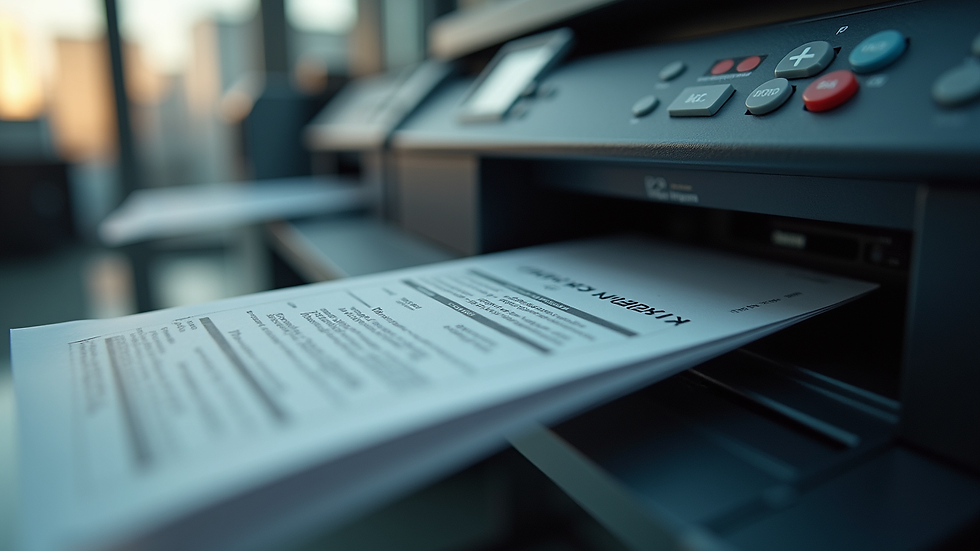
Eye-level view of a DTF printer with filters installed and ready for printing
Final Thoughts on Changing DTF Filters
Keeping your DTF filters fresh is key to smooth printing and great results. White filters need changing every 3 months because of the thick ink, while color filters last 6 to 12 months. Watch for signs of clogging and don’t hesitate to replace filters early if needed.
Using quality filters like those from DTF Toronto helps you avoid problems and keep your prints looking sharp. Remember, regular maintenance saves you time and money down the road.
If you want to keep your DTF printer running at its best, mark your calendar for filter changes and stick to the schedule. Your prints will thank you.

High angle view of clean DTF filters ready for installation
By following these simple guidelines, you’ll keep your DTF printing smooth and hassle-free. Changing your filters on time is one of the easiest ways to protect your investment and produce top-quality prints every time. Happy printing!
Comments